01
Selling tickets
Set up every date and every kind of ticket in one event, in an evening.
- Several performances
- Evenings, matinees and extra dates in one event, each with its own capacity and start time.
- Ticket types
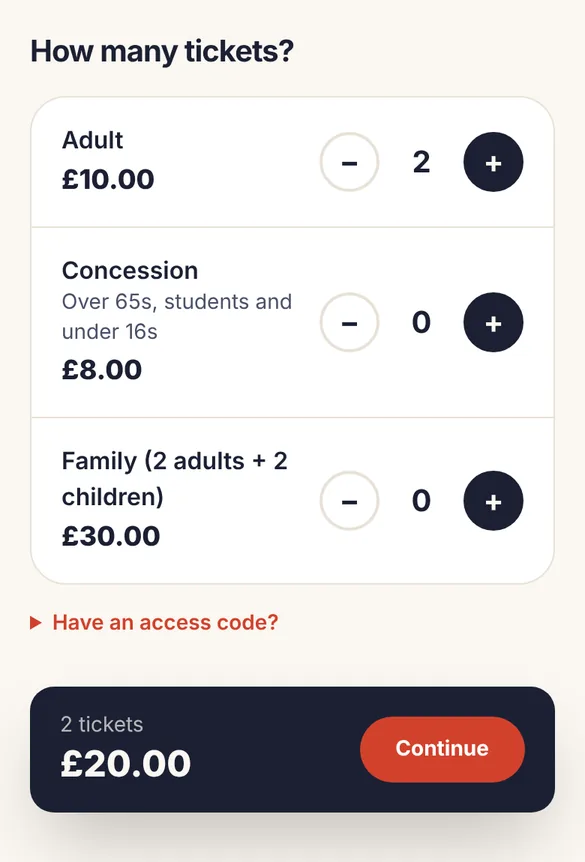
- Adult, concession, child, family and anything else. A family ticket can use several seats.
- Hidden tickets
- Tickets only visible with an access code, for cast, crew or members.
- Discount codes
- Percentage or amount off, for one event or all of them, with limits and dates.
- Donations at checkout
- Ticket buyers can add a donation. We don’t take a fee on donations.
- Booking questions
- Ask for anything you need, such as dietary needs or access requirements.
- Waiting lists
- When a date sells out, people can join a list and are emailed if seats come back.
- Ticket alerts
- Before tickets go on sale, people can ask to be emailed when booking opens.
02
Selling from your own website
Keep people on your own website. The widget shows your dates; booking opens on Go Get Tickets in a new tab.
- Booking widget
- Paste two lines into your website and your upcoming dates appear with Book buttons. Works with WordPress, Wix, Squarespace and most website builders, and updates itself.
- Event pages
- Every event gets its own page with dates, prices, venue and map, ready to share.
- Your organisation page
- One page listing everything you have coming up.
- What’s on
- Your public events also appear in our What’s on listings.
03
Promoting your event
Get the word out without a designer, and see which posts and posters actually sell tickets.
- Poster designer
- Choose from four styles, add a photo, your logo and sponsors. Download A4 and A3 posters and A5 flyers, ready to print at home or at a print shop.
- Social media images
- Square and story-sized images of your poster for Facebook and Instagram.
- QR code to book
- Every poster has a QR code that goes straight to booking.
- Share in a tap
- Share your event to Facebook, WhatsApp, X or email, or copy the link. Your audience can share it too after they book.
- Where bookings come from
- See how many bookings came from Facebook, WhatsApp, email, posters and your website.
04
For your ticket buyers
A booking your audience will find easy, whatever phone they have.
- Full prices up front
- The price they see is the price they pay. Nothing added at checkout.
- Quick checkout
- No account needed. Pay by card, Apple Pay or Google Pay.
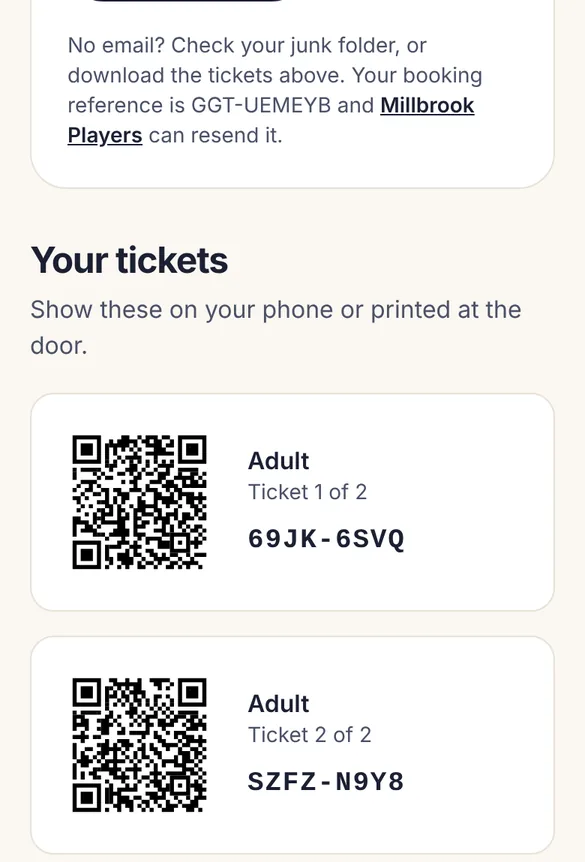
- Tickets by email
- Each ticket has its own QR code, in the email, as a PDF and online.
- Find my tickets
- Lost the email? They can have their ticket links sent again.
- Add to calendar
- One tap to save the date.
05
On the door
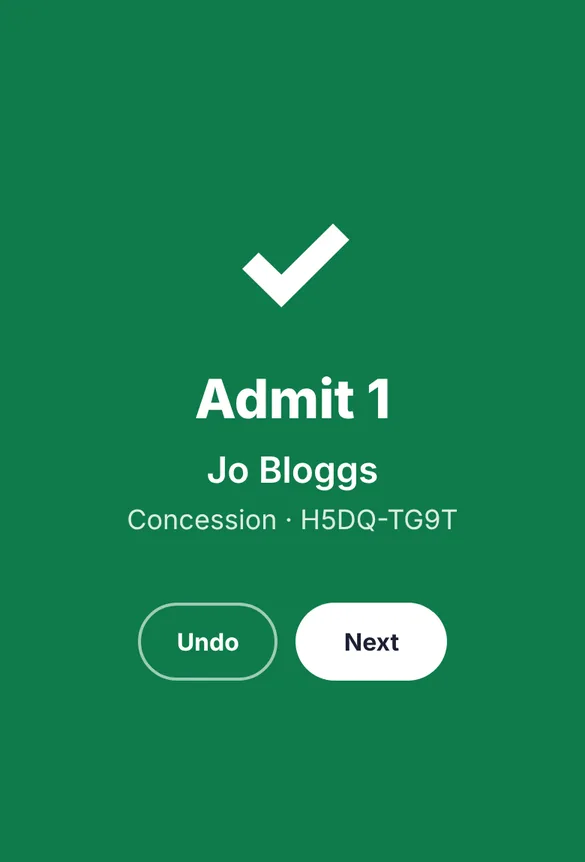
Green means in. Any volunteer can run the door from their own phone.
- Scan with any phone
- Volunteers open the scanner with a door code. No app or account needed.
- Works without signal
- Scans are saved on the phone and sync when it reconnects.
- Door list
- Print a list of everyone booked, as a backup or for small events.
- Guest tickets
- Add free tickets for guests and helpers yourself.
- Live count
- See how many people have arrived.
06
Running your group
Share the work with your committee and keep everyone in the loop.
- Your team
- Invite your committee as managers, or as door staff who can only scan.
- Attendee lists
- See who’s booked for each date and download it as a spreadsheet.
- Email attendees
- Send everyone booked for a date an update.
- Refunds and cancellations
- Refund a booking in a click. Cancel a date and everyone is refunded and told automatically.
- Sales at a glance
- Tickets sold, recent orders, money paid out and donations received.
07
Payments
Simple, secure payments, and money in your bank after each show.
- Secure payments through Stripe
- Set up a Stripe account through us in a few minutes, or connect the one you already have.
- Paid after each show
- Your share goes to your bank after each performance, usually the following Monday, so a cancelled date can always be refunded. Connect your own Stripe account to be paid as you sell instead.
- Your choice who pays the fee
- Cover our fee, or include it in the price your customers see.
All of this, for 50p a ticket.
No plans, no monthly fees, and free events cost nothing. Create your account and add your next event tonight.